V1.0.0 NOW AVAILABLE

Turn Your Phone
Into A Radio Station

The most advanced Icecast/Shoutcast client. Studio-grade DSP, Multi-track Mixing, and Real-time Effects.
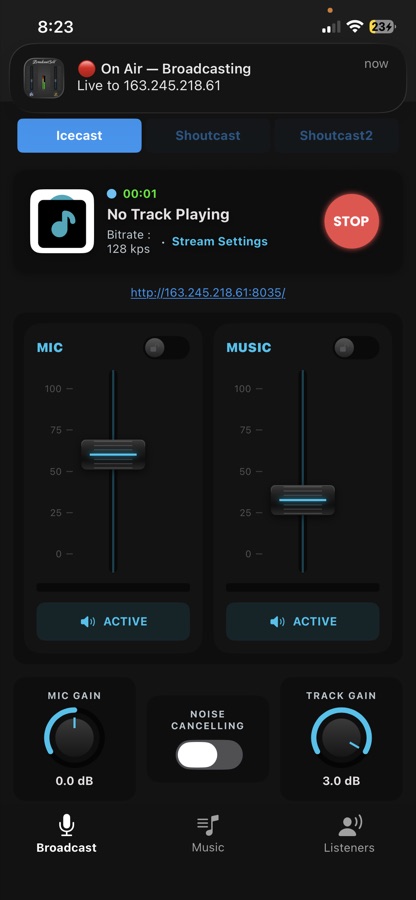
The Experience

Swipe through the interface (Screens 1-19)

Powerhouse Features

Everything you need to run a professional radio station from your pocket.

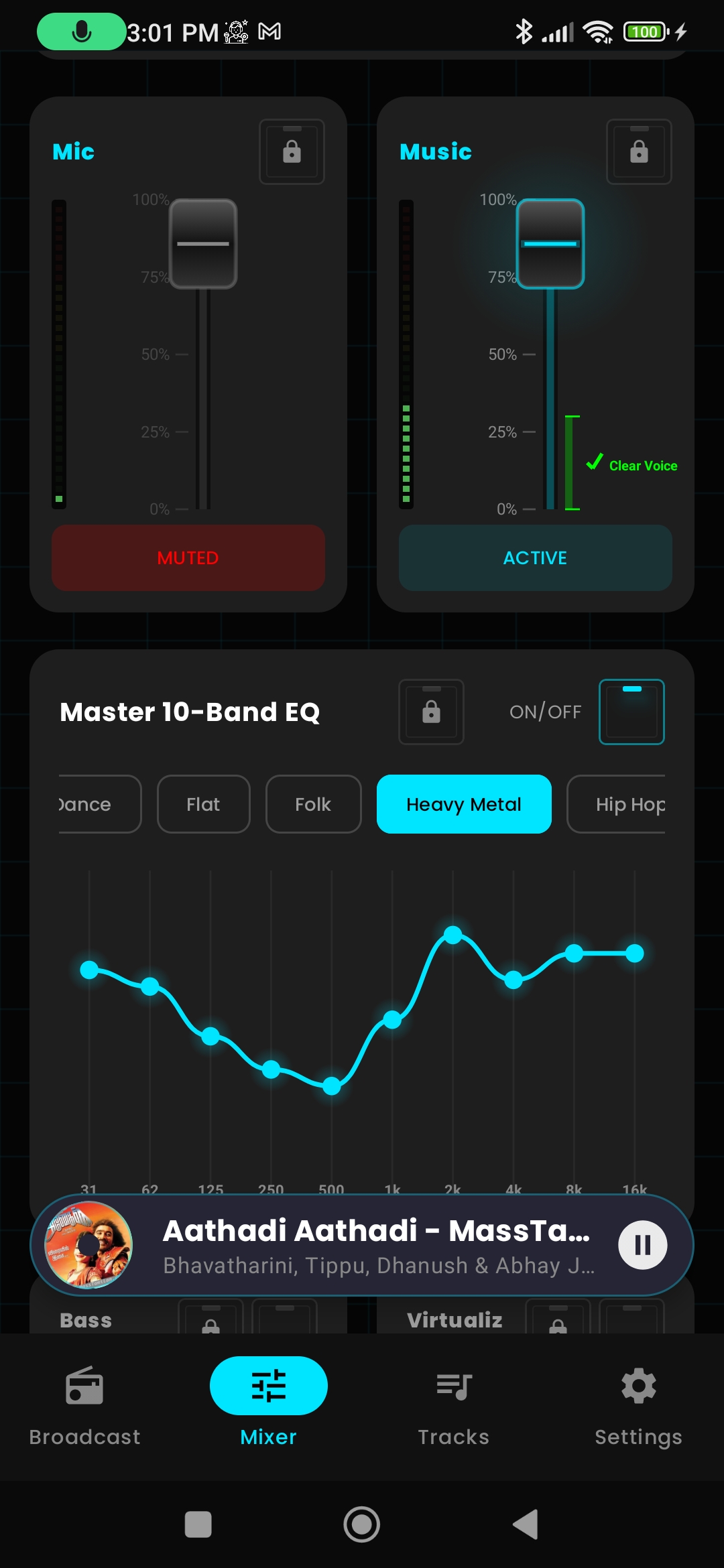
Twin-Fader Console

Independent volume controls for Microphone and Music channels. Includes dedicated Mute toggles and fader locks to prevent accidents.

Studio DSP Engine

32-bit floating-point audio processing. Includes a 10-Band Equalizer, Bass Boost, and Virtualizer for immersive sound.

Voice FX Studio

Transform your voice in real-time. Use Pitch Shift for "Chipmunk" or "Monster" effects, plus Reverb, Robot, and Telephone presets.

Auto-Ducking & Gate

Professional dynamics processing. Auto-Ducking lowers music when you speak, and Noise Gate silences background hiss.

Icecast & Shoutcast

Native support for Icecast 2, Shoutcast v1, and Shoutcast v2 protocols. Stream in MP3 (CBR/VBR) format.

Smart Library

Add tracks from your device storage. Create custom playlists, reorder your queue with drag-and-drop, and manage playback history.

Local Recording

Archive your live shows. Record your output mix directly to your device storage in high-quality MP3 format.

Connection Guard

Advanced connection logic automatically attempts to reconnect if your internet drops, keeping you on-air with minimal downtime.

Metering & Stats

Real-time VU meters for gain staging. Live connection statistics including Duration, Data Usage, and Latency (Ping) monitoring.

Global Reach

Available in 13 Languages

English Español Français Deutsch Русский Português العربية Türkçe தமிழ் हिन्दी 中文 日本語 한국어
Manual

User Guide

Everything you need to know to start broadcasting.

1 Getting Started

Initial Connection

  • • select Icecast, Shoutcast v1, or Shoutcast v2.
  • • Enter Host, Port, and Password provided by your host.
  • • Tap Test Connection. If it fails twice, use Skip.

Language & Setup

The app automatically detects your system language (12+ supported). Follow the wizard to calibrate audio.

2 Broadcast Dashboard

Status Indicators

  • ● ON AIR : Connected and streaming.
  • ● RECORDING : Saving to local file.
  • Latency Dots: Green (<100ms) vs Red (>300ms).

Free vs Premium

  • Free Users: See a 3-hour streaming limit timer.
  • Premium Users: Unlimited streaming and auto-reconnect.

Controls

  • Record: Tap twice to stop.
  • Loop: Off / One / All.

3 Mixer Console

  • Twin Faders Adjust Mic (Left) and Music (Right) volumes independently. Tap the icon below to mute.
  • Monitoring Toggle headphone mix between Mic, Music, or Both.

4 DSP Effects

  • Voice FX Pitch Shift, Robot, and Telephone effects.
  • Dynamics Auto-Ducking (lowers music when speaking) and Noise Gate (silences background noise).